CGK Soekarno-Hatta International Airport Arrival Guide: SIM Cards, eSIM & WiFi Options
The first few moments at Soekarno-Hatta International Airport are often a mix of excitement and logistics.
Booking confirmations, ride apps, and translation tools all depend on one thing — internet.
Having reliable data from the moment you land makes everything easier — from finding your transfer to confirming your accommodation.
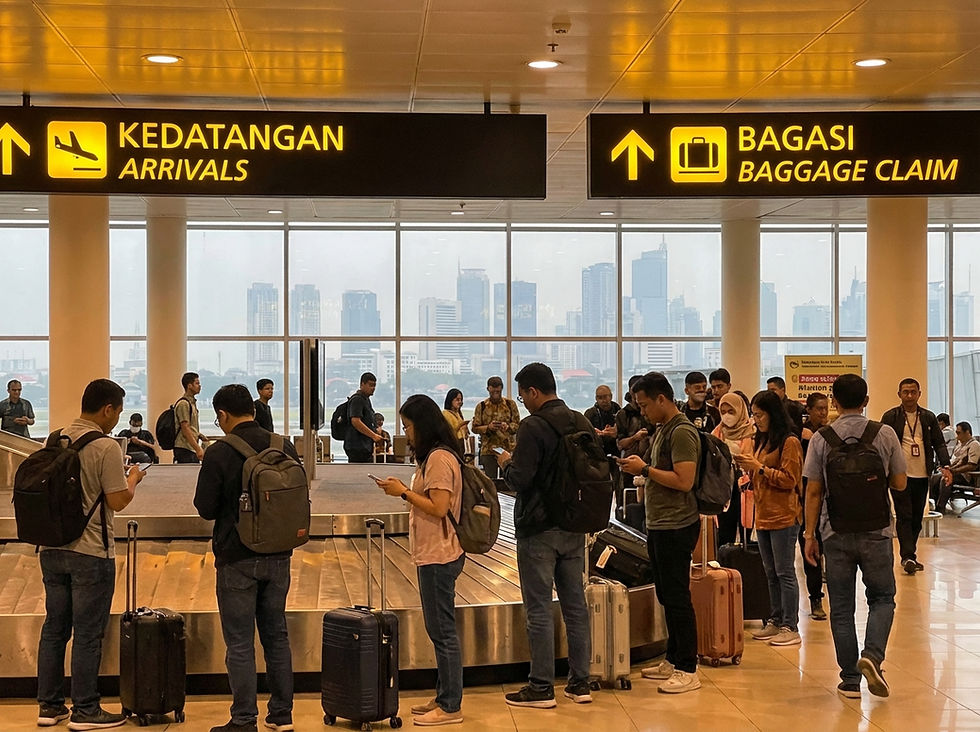
Public WiFi at Soekarno-Hatta International Airport
Soekarno-Hatta International Airport offers free public WiFi under the network name @freewifi.id@CGK. Connect from the arrivals hall by selecting the network and following the sign-in prompts. Public WiFi is useful for quick tasks but carries security limitations — avoid logging into sensitive accounts on shared networks.
SIM Cards at CGK
One of the first things you'll notice at Soekarno-Hatta International Airport is the SIM card kiosks near baggage claim.
Providers operating at Soekarno-Hatta International Airport include Telkomsel, Indosat
Ooredoo (IM3), and XL Axiata. Prepaid tourist plans typically range from IDR 250,000 to IDR 500,000 (approx. $25 - $50 AUD) for a 30-day plan.
Most plans marketed as unlimited include fair usage policies — a daily high-speed data cap (e.g., 1-2 GB), after which speeds are significantly reduced.
Pros of buying at the airport:
Available immediately on arrival
No pre-planning required
Cons of buying at the airport:
Higher price than city options
Queue times during peak arrivals
Passport verification required
Requires removing your existing SIM
If you prefer to buy after settling in, Telkomsel, Indosat, and XL Axiata operate official retail stores (like Telkomsel's GraPARI) across Jakarta.
Pocket WiFi Rental at CGK
Pocket WiFi devices are available through providers including JavaMifi, Klook, and other online rental services. These can be pre-booked online and picked up at the airport.
Key considerations for pocket WiFi:
Supports multiple devices simultaneously
Requires carrying and charging a separate device
Daily rental cost adds up on longer trips
Must be returned or mailed back on departure
Pocket WiFi suits groups or travelers needing to connect laptops and tablets alongside their phones.
Why eSIM Is Increasingly Popular
Installing an eSIM before departure means you can connect within minutes of landing.
An eSIM lets you purchase and install a data plan before you leave Australia. When your plane lands and connects to a local Indonesia network, your data is already active.
Key advantages:
No SIM swapping required
Installed via QR code in minutes
Works as a second line — your Australian number stays active
Can be installed up to 30 days before departure
No airport queues
E.Tel Travel eSIM for Indonesia
E.Tel offers a travel eSIM for Indonesia running on the Telkomsel / Indosat networks.
Activation: QR code scan
Dual SIM: supported on compatible devices
Install up to 30 days before departure, activates automatically on arrival
Get your E.Tel travel eSIM here: https://apply.etel.com.au/travelesim/Indonesia
Coverage & Reliability in Jakarta and Beyond
The primary mobile network in Indonesia is Telkomsel, known for having the most extensive coverage.
In urban areas like Jakarta, all major providers offer excellent 4G/LTE and growing 5G signal strength.
For travel to more rural or regional areas beyond Java and Bali, Telkomsel generally provides the most reliable signal. Other networks can be less consistent.
Cost Comparison
Some unlimited airport plans include daily caps or fair usage restrictions.
Option | Convenience | Cost | Best For |
Airport SIM | Immediate on arrival | Higher | Travelers needing instant setup |
City store SIM | Requires travel into city | Lower | Longer stays |
Pocket WiFi | Pre-booking recommended | Medium daily rate | Groups, multi-device users |
eSIM | Pre-arrival setup | Competitive | Solo travelers, frequent fliers |
Note: Prices vary by provider and plan. Always compare before purchasing.
Eco-Friendly Consideration
Beyond convenience, eSIM also reduces plastic waste from physical SIM cards and packaging.
Choosing a digital eSIM removes the need for plastic card production, packaging, and physical distribution entirely.
Booking Tips Before Arrival
Check your device supports eSIM before purchasing (Settings → Mobile Data → Add eSIM)
Pre-book pocket WiFi during peak travel seasons
Review fair usage policies on any unlimited plan
Install your eSIM before boarding — airport WiFi at your departure terminal works for this if needed
Why Many Travellers Choose E.Tel eSIM for Indonesia
Activate via QR code before you fly
Install up to 30 days before departure
Keep your Australian number active as a second line
Connects to the reliable Telkomsel / Indosat networks
Transparent pricing with no per-minute surprises
Final Thoughts
A smooth airport arrival often starts with having data ready before you step outside.
Whatever option suits your travel style, sorting your connectivity before you arrive at Soekarno-Hatta International Airport saves time, reduces stress, and means your trip starts the moment the wheels touch down.
Frequently Asked Questions
Can I buy a SIM card at Soekarno-Hatta International Airport?
Yes. Telkomsel, Indosat Ooredoo (IM3), and XL Axiata operate counters at CGK. Passport verification is required.
What providers operate at CGK?
Telkomsel, Indosat Ooredoo (IM3), and XL Axiata are the main providers available.
Is public WiFi available at Soekarno-Hatta International Airport?
Yes, free public WiFi is available under the network name @freewifi.id@CGK.
What is the difference between a SIM card and an eSIM?
A physical SIM card is inserted into your phone's SIM tray. An eSIM is a digital profile installed via QR code — no physical card required.
Will my phone support eSIM?
Most smartphones released after 2018 support eSIM. Check Settings → Mobile Data for an Add eSIM option.
Which network has the best coverage in Jakarta?
Telkomsel provides the most extensive coverage in Indonesia, though all major networks are strong in Jakarta.
Are unlimited plans truly unlimited?
No. Most tourist plans in Indonesia have a Fair Usage Policy (FUP) with a daily high-speed data limit, after which speeds are slowed down.
Can I connect multiple devices?
A standard SIM or eSIM connects one phone. Pocket WiFi via providers like JavaMifi or Klook supports multiple devices simultaneously.

